IMPOSER

STREAMLINED IMPOSITION SOFTWARE FOR THE PRINTING INDUSTRY. IMPROVE YOUR PRE-PRINT PRODUCTION TIME 100X!
Marcus R.
Marcus R.ABC Print Solutions, Chicago, IL
"We were doing booklet impositions manually in Acrobat for years. Imposer's signature mode handles it automatically—just select pages and it arranges everything perfectly. What used to take 20 minutes now takes 2. Our prepress team can't imagine going back."
Jennifer C.
Jennifer C.QuickPrint Express, Portland, OR
"I tried three other programs before Imposer. They were either too complicated or couldn't handle our custom page sizes. Imposer's interface makes sense—load PDF, pick layout, done. My operators learned it in under 10 minutes. Best money I've spent on software in a very long time."
David M.
David M.Heritage Printing Co., Nashville, TN
"We have about 15 regular customers with specific layout requirements. I created a saved profile for each one—margins, numbering, everything. Now when their jobs come in, we just load the profile and hit go. Zero setup time, zero mistakes. Imposer pays for itself every week."
Sarah T.
Sarah T.Community Print & Design, Austin, TX
"We do a lot of church bulletins and event programs—same layouts, different content every week. Imposer handles batch processing beautifully. Merge 10 PDFs, apply the same N-up layout to all of them, export, and we're ready to print. It's fast, reliable, and never crashes on large files."
Professional N-up Imposition

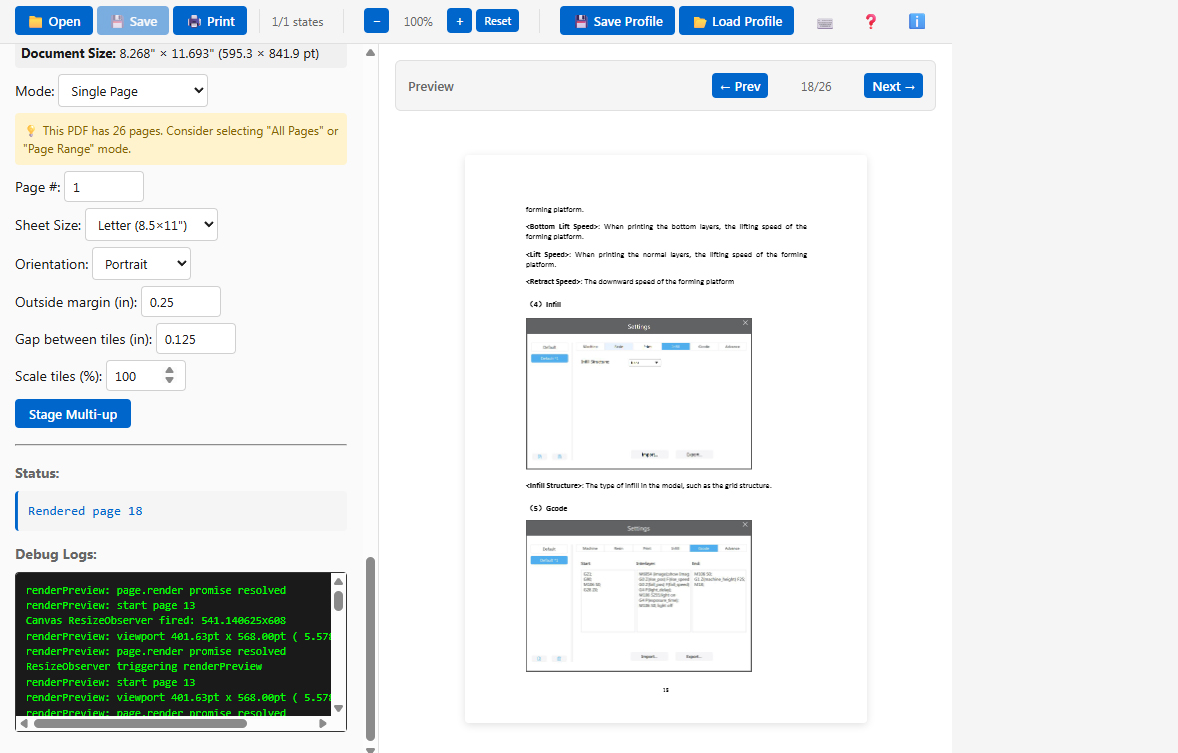
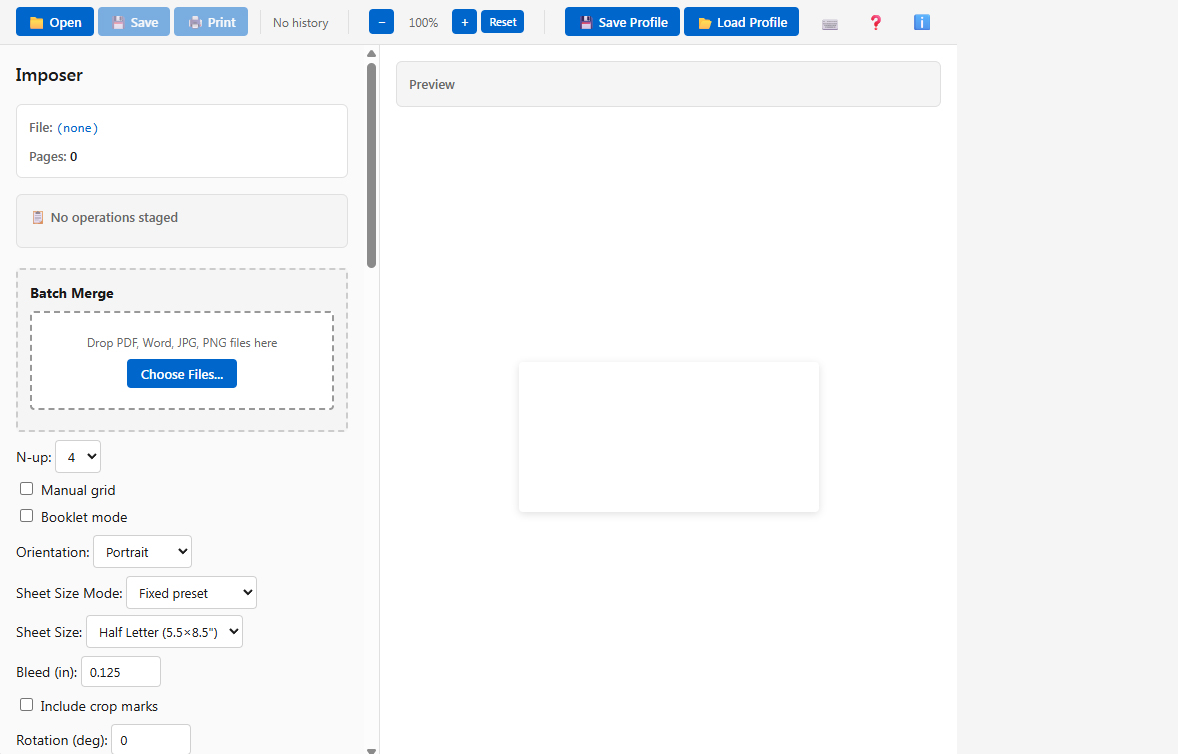
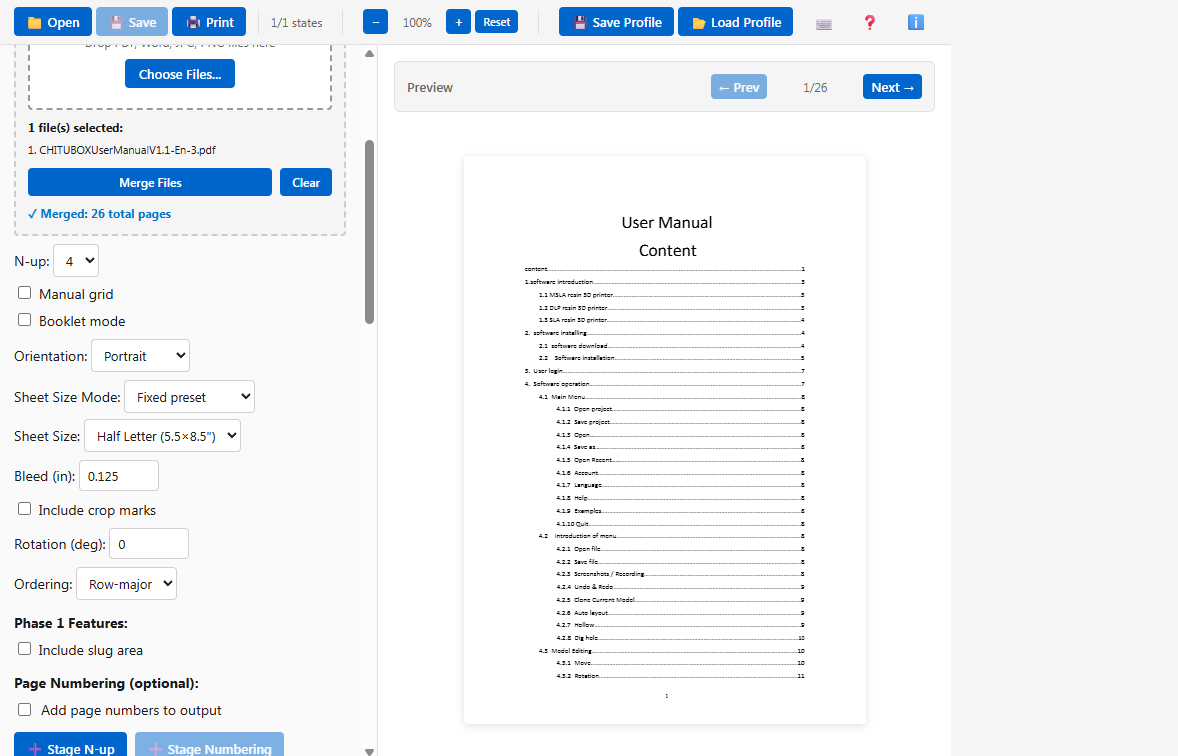
Transform single pages into efficient multi-up layouts with 2-up through 32-up configurations. Perfect for commercial print shops, Imposer handles booklet signatures, saddle-stitch binding, and custom grid arrangements with precision and speed.

Advanced Page Manipulation

Rotate pages at any angle and mirror content horizontally or vertically. Apply transformations to single pages, ranges, or entire documents with intuitive controls designed for production printing workflows.

Customizable Page Numbering

Add professional page numbering overlays with full control over font, size, color, and position. Ideal for proofing, job tracking, and client approvals—automatically numbered across your entire document.

Batch Processing Power

Merge multiple PDFs into a single file with one click. Process large print jobs efficiently with intelligent file handling, perfect for high-volume commercial printing operations.

Save Your Workflow

Create and save custom profiles for repeated jobs. Store page sizes, margins, numbering preferences, and layout settings—then reload them instantly for consistent results across similar projects.

Easy-to-Use Features

A short description that introduces visitors to your portfolio